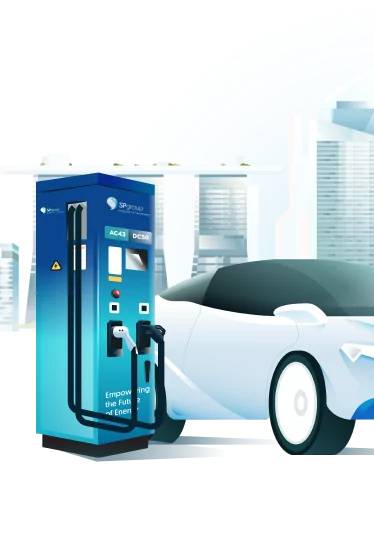
ChargeUP rewards is our way of rewarding you for charging your electric vehicle (EV) with us. Complete an eligible* (excluding GST and non-charging fees, eg. idle fees) charging session with SP Mobility, and you will earn ChargeUP points that can be used to offset a future EV charging bill.
SP Mobility and NTUC Link have come together to help you earn more rewards from every EV charging session. Simply connect your Link account in the SP app and earn Linkpoints on top of your ChargeUP points.
One charge. Two rewards. More savings.
Enjoy limited-time launch rewards
⚡ New to EV charging on the SP app? Get 500 bonus ChargeUP reward points
New SP app users who complete an eligible EV charging session with a minimum charge of 10kWh from now till 31 December 2026 will receive 500 ChargeUP reward points (worth $5).
🎁 Connect your Link account and earn 5X Bonus Linkpoints
From 16 November 12:00pm to 15 December 2026, users who complete their first charging transaction after connecting their Link account in the SP app will earn 5X Linkpoints. No minimum charge is required. Limited to the first 10,000 eligible transactions. Bonus Linkpoints will be reflected in the FairPrice Group app.
What does this mean for you?
You can now:
-
In addition to ChargeUP points, you can now earn and redeem Linkpoints to offset eligible EV charging bills with SP Mobility.
-
Earn and redeem Linkpoints for everyday savings across the Link Rewards Programme.
How ChargeUP works
-
Join automatically - There is no separate sign-up required. Once you register for SP app account, you will automatically become a ChargeUP member. Membership is free.
-
Charge and earn points - Complete an eligible EV charging session with SP Mobility and you will earn ChargeUP points based on your eligible charging spend. Your points will be credited after your charging session has been completed and payment is successful.
-
Move up the ChargeUP tiers - Everyone starts at the Green tier. As you earn more qualifying points, you can move up to the Silver and Gold tiers. The higher your tier, the more ChargeUP points you earn for every dollar of eligible charging spend. Once you have at least 500 ChargeUP points, you can use them to offset an eligible EV charging bill in the SP app. Connect your Link account in the SP app and you can earn Linkpoints on top of your ChargeUP points from the same eligible charging session.
You do not need a Link account to join ChargeUP.
You can continue earning and using ChargeUP points without connecting a Link account. Connecting your Link account simply allows you to earn Linkpoints as an additional reward.
How to start earning both ChargeUP points and Linkpoints?
- Open the SP app, go to the EV Charging page and click on your ChargeUP points section

2. Select “Connect account”

3. Fill in your mobile number and email address

4. Key in your 6-digit one time pin (OTP)

5. Once your mobile number is verified, your Link account will be connected in the SP app successfully.

6. Charge with SP Mobility to start earning both types of points on eligible spend.

Not a Link member? Download the FairPrice Group app and register for a Link account first.
How many points will I earn?
Your earn rate depends on your ChargeUP tier.
Here’s how it works

* Points are calculated separately on eligible charging spend, excluding GST and non-charging fees, eg. idle fees. Each type of point is credited to its respective rewards balance.
For example, if you spend $20* for your EV charging session:

Using your points to offset charging bills
-
Points value and minimum balance: Every 100 ChargeUP points or 100 Linkpoints gives you $1 off an eligible EV charging bill. You must have at least 500 ChargeUP points or 500 Linkpoints before you can redeem.
-
Use your existing Linkpoints: Once you connect your Link account in the SP app, you can use your existing Linkpoints to offset an eligible charging bill. You have 3 options: $5, $10 or $20 worth of Linkpoints to be used for redemption.
-
Choose which points to use: You can redeem ChargeUP points, Linkpoints, or both for the same eligible charging bill. If you use both, ChargeUP points will be deducted first, followed by Linkpoints.
-
Unused points are returned: If your available points exceed the value of your charging bill, any unused points will be returned to your account.
Connect your Link account in the SP app today!
Charge More. Earn More. Save More.
Follow us on 
Stay tuned to SP Mobility’s and NTUC Link’s website and social media for upcoming promotions and campaigns!
Frequently Asked Questions
About ChargeUP Rewards
1. What is ChargeUP Rewards Programme?
ChargeUP is SP Mobility’s rewards programme for customers who use their EV charging network. Every charge earns reward points. The more you charge, the higher your tier, the more points you earn.
2. Is there a cost to join ChargeUP Rewards?
No, membership is free. You’re automatically enrolled when you register for a personal account with SP Mobility. Simply charge and start earning ChargeUP reward points.
3. Are ChargeUP points given to all charging sessions?
The reward points are only offered to personal account holders who charge on non-discounted rates. Note that promotional discounts offered by SP Mobility periodically do not constitute "discounted rates" in this instance.
Users enjoying group discount rate (e.g. corporate and fleet users) or on a subscription plan with SP as well as those charging via guest checkout are ineligible for reward points. Some exceptions may apply through our exclusive partnerships. If you’re eligible, our partner will reach out to you directly with the details. Every dollar (excluding GST) spent on charging earns reward points. Points will be awarded into your account at the end of your charging session, after payment is made.
For instance, users who enjoy discounted rates and are ineligible for reward points are:
a) Users enjoying group discount rate with SP Mobility, such as corporate and fleet users who enjoy discounted charging rate for their charging sessions.
b) Private condo residents on a subscription plan, charging within their monthly quota. Charging sessions beyond their monthly quota at a pay-per-use rate are entitled to reward points. Condo residents who are not on a subscription plan are entitled to reward points for all their charging sessions.
c) Users who charge via Guest Checkout option.
4. How does ChargeUP Rewards work?
For every $1 you spend on eligible charging session (excluding GST), you earn ChargeUP reward points. The number of points you earn per dollar increases as you move up the tiers. There are 3 tiers:
-
Green (base tier)
-
Silver (mid-tier)
-
Gold (top tier)
5. How is my ChargeUP tier determined?
Your ChargeUP tier is based on the qualifying points earned during the current quarter:
|
ChargeUP Tier* |
Qualifying Points Earned Per Quarter |
|
Green (base tier) |
0 – 179 |
|
Silver (mid-tier) |
180 – 2,799 |
|
Gold (top tier) |
2,800 points and above |
*Tiers are refreshed quarterly.
6. When are ChargeUP tiers reviewed, and how do I move up or down a tier?
Your tier is refreshed every calendar quarter. If you earn enough qualifying points to move up during a quarter, your new tier takes effect immediately and remains valid until the end of the following quarter. At the next refresh, you may move up, remain at the same tier or move down based on the qualifying points earned during the previous quarter.
The dates are:
-
1 January – 31 March
-
1 April – 30 June
-
1 July – 30 September
-
1 October – 31 December
7. What if my EV charging spend is not a whole number?
Both points earned will be rounded down to the nearest whole point after each eligible charging session.
For example, if you spend $17.44 for your EV charging session:
|
ChargeUP Tier |
ChargeUP points |
Linkpoints |
Total points earned |
|
Green (base tier) |
8 points (0.5 x $17.44) |
8 points (0.5 x $17.44) |
16 points |
|
Silver (mid-tier) |
39 points (2.25 x $17.44) |
13 points (0.75 x $17.44) |
52 points |
|
Gold (top tier) |
69 points (4 x $17.44) |
17 points (1 x $17.44) |
86 points |
8. How can I check my current tier, points balance and transaction history?
Log in to your EV charging account via the SP app to see your current tier, points balance and transaction history.
9. Can I still earn GreenUP Leaves from EV charging?
No. GreenUP Leaves will no longer be awarded for EV charging transactions. While you can continue to earn GreenUP Leaves through non-EV charging transactions, eligible EV charging spend will instead earn ChargeUP points and Linkpoints.
10. Do the ChargeUP points expire?
The points are valid for 12 months, through the last day of the final month. For example, Points earned in November 2026 will expire on 30 November 2027. After the validity period, unused points will be forfeited. Remember to redeem them before they expire!
11. Why am I not seeing my ChargeUP points?
For improved user experience and to see your reward points, please visit the respective app store using the link below to update your App Version to:
15.13.1 or above (Android); or
12. What is the conversion rate for the ChargeUP points and Linkpoints redemption?
For both types of points, 100 points are equivalent to S$1 in redemption value. You must have at least 500 ChargeUP points or 500 Linkpoints before you can redeem that type of point against an eligible EV charging bill. Any balance points will be refunded to your account. You may pay the balance amount using your preferred method of payment if the EV charging bill exceeds the dollar value equivalent of points redeemed.
13. Is there a minimum amount to spend on EV charging to earn ChargeUP points and Linkpoints?
You are required to spend a minimum of $1 (excluding GST) on EV charging to start earning points. Both points are earned from dollars spent on EV charging (excluding idle fees), after deduction of any discount.
14. Is there a limit on the number of ChargeUP points and Linkpoints that I can earn?
No, there is no limit.
15. Can I transfer both ChargeUP points and Linkpoints or exchange them for cash?
ChargeUP points and Linkpoints are tied to specific user account as a reward for your support of SP Mobility and are not transferable. They cannot be exchanged for cash, except to be used to offset your next EV charging bill.
16. Can I use ChargeUP points and Linkpoints at all SP Mobility chargers?
Both points can generally be redeemed for use at EV chargers owned by SP Mobility and which are accessible by members of the public, subject to the availability of such chargers.
17. Can I use ChargeUP points and Linkpoints to offset idle fees?
Idle fees are fees that will apply after a charging session has ended and the EV is still plugged in after the end of the grace period, which is 30 minutes. ChargeUP points and Linkpoints can only be used to offset EV charging bills, not idle fees.
18. Can I use ChargeUP points to offset my purchases at Fairprice Group?
No, ChargeUP points can only be used to offset eligible EV charging spend with SP Mobility.
19. Can I use both ChargeUP points and Linkpoints for the same charging bill?
Yes. ChargeUP points and Linkpoints can be stacked for redemption. ChargeUP points will be applied first, followed by Linkpoints. A minimum of 500 ChargeUP points or 500 Linkpoints is required for redemption.
Connecting a Link account
20. Do I need a Link account to earn ChargeUP points and vice versa?
No. You can earn ChargeUP points without a Link account. You only need to connect an active Link account to the SP app if you also want to earn Linkpoints from eligible EV charging spend.
21. Do I need to be a Link member to earn Linkpoints?
Yes. You must have an active Link account linked to your SP app account to earn Linkpoints. If you're not yet a Link member, download the FairPrice Group app and register for a Link account before adding it to the SP app.
22. Must I add my Link account every time I charge?
No. You only need to connect your Link account to the SP app once.
After it has been added successfully, you can earn Linkpoints on eligible charging spend.
23. How do I redeem Linkpoints?
Linkpoints can be redeemed for instant savings and points exchange within the Link Rewards Programme, where 100 Linkpoints = $1 in redemption value, subject to Link Rewards Programme’s terms and conditions. As part of this partnership with SP Mobility, Linkpoints can also be used to offset EV charging bills. Before you start your charging session, simply select ChargeUP Rewards in the SP app and select Linkpoints to redeem.
24. Where can I view my 5X bonus Linkpoints and when will I receive them?
Your 5X bonus Linkpoints will be reflected in the FairPrice Group app. You will receive your new user 500 ChargeUP points by the end of the following month after charging your EV with SP Mobility. For example, points will be credited into your SP app account by end-December 2026 for EV charges made in November 2026.
25. Who may I contact if I still have questions?
For questions on EV charging and the ChargeUP Rewards Programme, you may email SP Mobility at emobility@spgroup.com.sg or contact our customer support hotline 6916 7799.
For questions on Link Membership Programme, you may submit a request at https://support.link.sg/hc/en-us/requests/new
SP Mobility and NTUC Link reserve the right to amend the Terms & Conditions without prior notice.